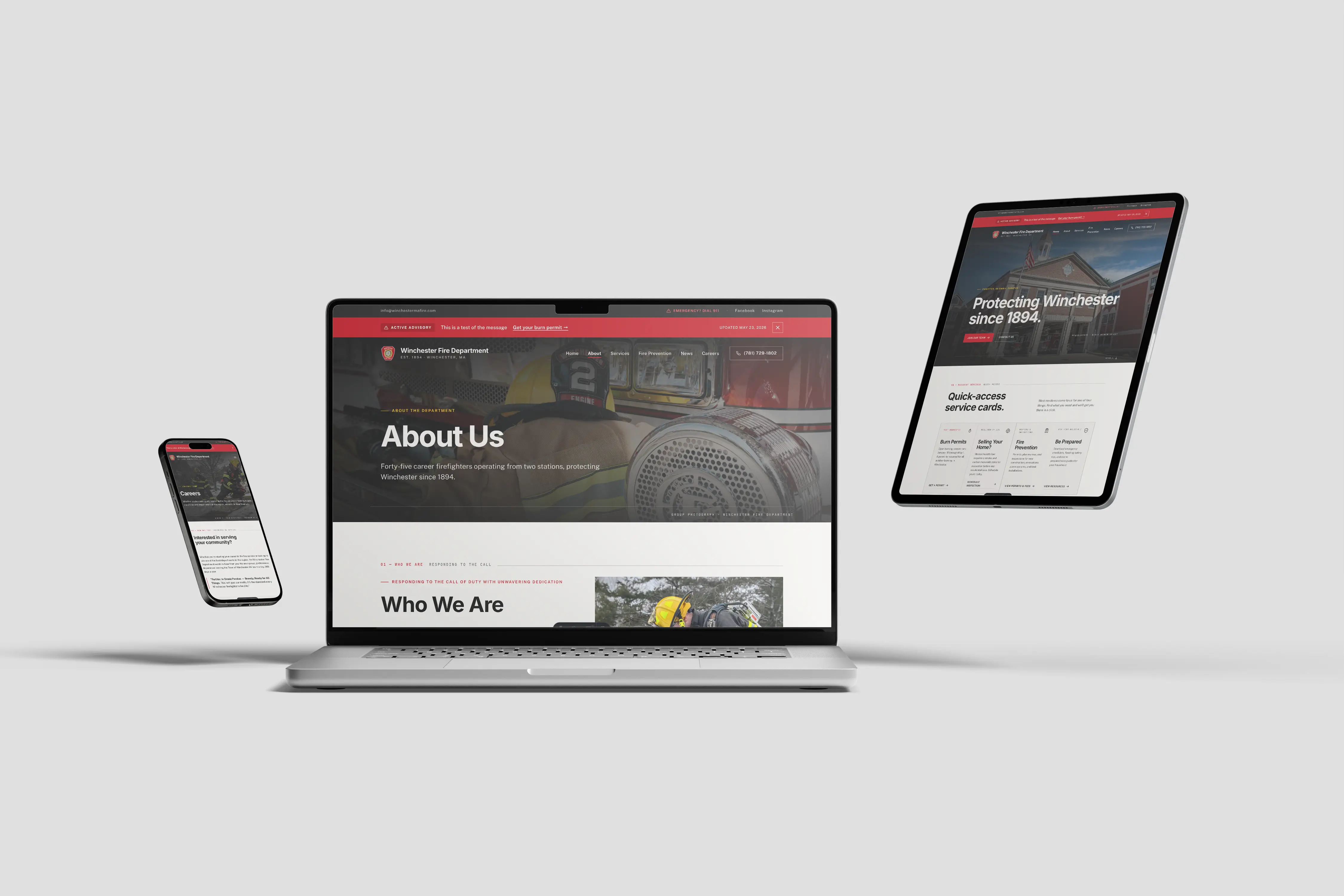








If your department is shopping for a new website, templates are going to be the first thing you find. They are everywhere. Some are built specifically for fire departments. Some are general government platforms adapted for public safety. Some are just WordPress themes with a Maltese cross dropped in.
Not all of them are bad. But most of them have problems that do not show up until your department is locked in, and by then, switching costs real time and real money.
Here is a straight look at what is available, what to watch for, and when a template actually makes sense.
What Is Actually Out There
The fire department website template market breaks down into a few categories. Here are the platforms you will encounter most often.
Fire-service-specific platforms offer pre-built sites designed around fire department content. They understand the basics — apparatus pages, recruitment, incident logs. The trade-off is that you are on their platform, using their CMS, on their terms. Your site looks like every other department on their system because it is the same system.
Government website platforms like CivicPlus serve municipalities across all departments — police, fire, public works, town hall. Fire is one module in a broader suite. These platforms are typically sold at the town level, which means your department may not have a say in which platform you end up on. The design is functional but generic. Customization is limited to what the platform allows.
ESO and records management vendors have started bundling basic websites with their software suites. If your department already uses ESO for incident reporting, they may offer a website add-on. Convenience is the selling point. Design quality and accessibility compliance are secondary concerns.
General website builders like Wix, Squarespace, and WordPress are not built for fire departments, but plenty of departments use them. Wix and Squarespace are drag-and-drop platforms with limited flexibility under the surface. WordPress offers more control but requires technical knowledge to maintain, secure, and keep accessible. A WordPress site without active maintenance becomes a security liability.
USWDS (U.S. Web Design System) is worth mentioning because some departments encounter it through their municipality's IT department. USWDS is a federal design framework — well-built, accessible by default, but complex to implement. If your town's IT team builds you a site on USWDS, you will get solid accessibility. You will also get a site that looks like a federal agency, not a fire department.
Each of these options has trade-offs. The question is whether the trade-offs are acceptable for your department.
Three Things Templates Get Wrong
PDF Handling
Fire departments publish a lot of documents. SOGs, annual reports, meeting agendas, inspection forms, burn permit applications. Every one of those documents needs to be accessible under Title II.
Most template platforms give you a file upload button and nothing else. You upload a PDF. It appears on your site. Nobody checks whether it has proper tagging, selectable text, reading order, or alt text on images. Scanned PDFs uploaded as flat images are invisible to screen readers. Every one is a compliance violation.
A platform that does not force accessible document handling is setting your department up to fail a compliance review on content you did not even think to check.
Locked Source Code
When your site is built on a template platform, you do not own the code. You cannot inspect it. You cannot fix it. If the platform's underlying HTML has accessibility issues — missing ARIA labels, improper heading structure, insufficient color contrast in the navigation — you cannot fix those issues yourself. You file a support ticket and wait.
Under Title II, your department is responsible for WCAG 2.1 AA compliance regardless of who built the site. The DOJ does not care that your vendor has not gotten around to fixing their heading hierarchy. The complaint lands on your department.
Stock Components That Fail WCAG
Template platforms use pre-built components — image carousels, accordion menus, modal windows, navigation dropdowns. These components are built once and deployed across every site on the platform. If the carousel does not support keyboard navigation, every department using that template has the same violation.
Common failures in template components include:
Image carousels that cannot be controlled with a keyboard, have no pause button, and lack proper alt text support for each slide.
Navigation menus that trap keyboard focus, do not announce submenu expansion to screen readers, or require hover interactions that do not work on mobile.
Accordion sections that use div elements instead of proper button and region roles, making them invisible to assistive technology.
Contact forms with placeholder text as the only label, missing error messages, and no programmatic association between labels and inputs.
These are not edge cases. They are the most common interactive components on fire department websites, and they fail the most basic accessibility checks on the majority of template platforms.
Vendor Lock-In and Title II Liability
Vendor lock-in is the cost nobody tells you about during the sales call.
When your department signs up for a template platform, your content lives on their servers, in their database, in their proprietary format. Your pages, your photos, your documents, your news posts — all of it belongs to the platform's ecosystem. If you want to leave, you typically cannot export your content in any usable format. You start over.
This creates a dependency that has real consequences when combined with ADA Title II compliance.
If your template vendor's platform has accessibility issues, your options are limited. You can file a ticket and hope they prioritize the fix. You can wait for a platform update that may or may not address the violation. You cannot fork the code and fix it yourself. You cannot hire a developer to patch it. You are dependent on a vendor whose priorities may not align with your compliance deadline.
The DOJ's Title II rule does not include an exception for "my vendor hasn't fixed it yet." If a resident files a complaint, your department is the respondent. Not your vendor. Not the platform. Your department.
The new compliance deadlines give departments serving 50,000 or more residents until April 26, 2027. Departments serving fewer than 50,000 residents have until April 26, 2028. If your vendor cannot demonstrate that their platform meets WCAG 2.1 AA today, you need to know what their plan is — and whether their timeline aligns with yours.
When a Template Is the Right Call
Templates are not universally wrong. There are situations where a template is the best decision your department can make right now.
Your department has 12 members and a $600 annual budget for the entire website. A custom build is not realistic. A well-chosen template that gets your department online with basic contact information, recruitment details, and station hours is better than no website.
You need something live immediately. Your current site is down, your domain expired, or you have a critical public information need that cannot wait 6 to 8 weeks for a custom build. A template gets you online in days.
Your municipality controls the platform. Town IT chose CivicPlus for all departments. You do not have a say. Work with what you have, push for the best accessibility configuration available, and document your compliance efforts.
You are evaluating your options and need a placeholder. Some departments stand up a basic template site while they plan and budget for a proper custom build. That is a reasonable strategy if you treat it as temporary.
The key is knowing that a template is a trade-off, not a solution. If your department's website needs to recruit volunteers, serve your community, and meet federal accessibility requirements — and most departments need all three — a template may get you started, but it will not get you there.
The Five-Minute Template Test
Before you sign with any template provider, run these five checks. They take five minutes and will tell you more about the platform than any sales demo.
1. Keyboard navigation test. Unplug your mouse. Open the demo site. Press Tab to navigate through the page. Can you reach every link, button, and form field? Can you see where the focus is? Can you open and close dropdown menus? If you get stuck anywhere, the site fails the most fundamental accessibility requirement.
2. Check the heading structure. Right-click on the page, select "View Page Source" or use a browser extension like HeadingsMap. The page should have exactly one H1, followed by H2s and H3s in logical order. If headings skip levels — jumping from H1 to H4, or using multiple H1s — the platform has structural issues that affect both accessibility and SEO.
3. Inspect the images. Right-click any image on the demo site and select "Inspect." Look for the alt attribute. If the alt text says "image" or "photo" or is missing entirely, the platform is not handling image accessibility correctly. Check three or four images across different pages.
4. Test the PDFs. Download a sample document from the demo site. Open it in Adobe Acrobat Reader. Go to File, then Properties, then check the "Tagged PDF" field. If it says "No," the document is not accessible. Try selecting the text — if you cannot highlight individual words, it is a scanned image, not a tagged document.
5. Run WAVE. Go to wave.webaim.org, paste the demo site URL, and run the scan. WAVE catches about 25 to 30 percent of accessibility issues automatically. If the demo site fails automated testing, the issues requiring manual review are almost certainly worse.
If a template platform fails two or more of these checks, it is not ready for a fire department website that needs to meet Title II.
Find Out Where Your Site Stands
Whether your department is on a template platform or a custom-built site, the first step is knowing where you stand. We offer a free accessibility review that identifies your highest-risk compliance issues and gives you a clear picture of what needs to happen before the deadline.
No sales pitch. No obligation. Just a straight assessment from someone who understands what fire departments actually need.